
For guitar, bass, ukulele and 7-string

Tap the frets. Know the chord.

A reverse chord finder, chord library, scale maps, progression builder and capo transposer. Built for players, not for data collection.

Download on the App StoreGet it on Google Play
Works offlineNo accountNo adsFree to use
Tapchord chord finder
  • Guitar
  • Bass
  • Ukulele
  • 7-string
  • 40+ tunings
  • Left-handed

Everything on one fretboard

Find it, learn it, play it, move it.

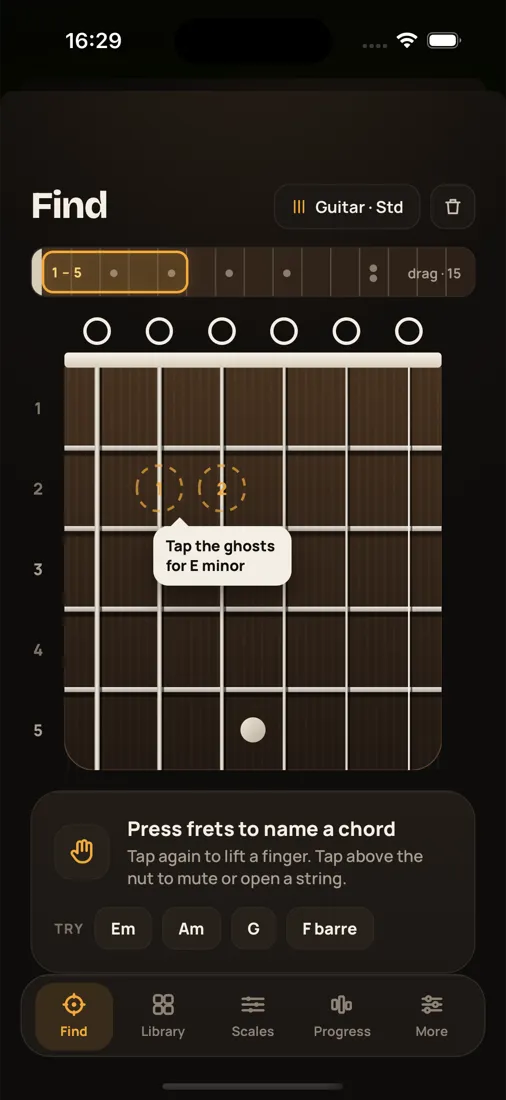
Find

Hold a shape you found by accident? Tap it in.

Press the frets you are holding, mute or open strings above the nut, and Tapchord names the chord as you go, including slash chords and inversions. Ghost dots show the one note away from the chords nearby.

  • Names chords, slash chords and inversions
  • Drag the position strip up to fret 15 and beyond
  • Left-handed fretboard
Tapchord Find screen with a guitar fretboard and ghost-dot hints

Learn

Every chord, every voicing, from easy to hard.

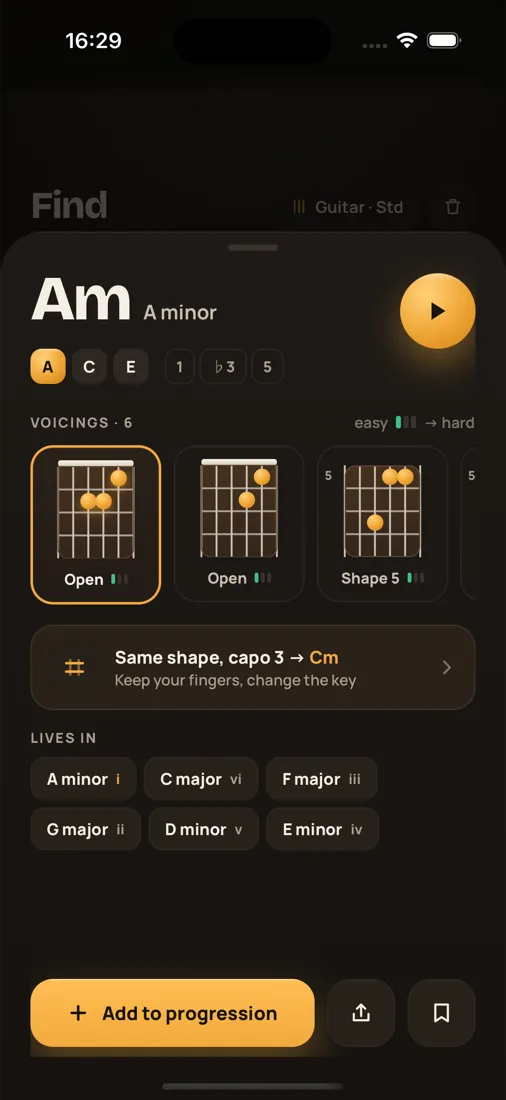
Browse a chord library grouped into essentials, sevenths, sus and add, and extended chords. Each chord shows its notes and intervals, voicings ranked by difficulty, the capo shapes that get you there, and the keys it lives in.

  • Voicings ranked by difficulty
  • Tap play to hear any chord
  • See which keys a chord belongs to
Tapchord chord detail for A minor with voicings and keys

Scales

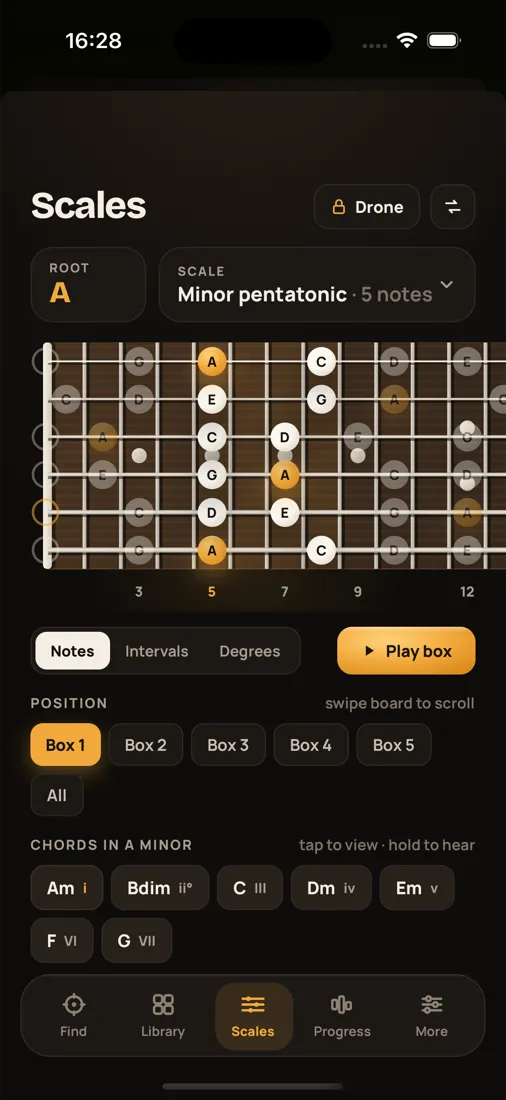
The whole neck, mapped.

Pick a root and a scale and see every note across the fretboard, as note names, intervals or degrees. Walk the five boxes, play the scale back, and tap the chords that belong to the key.

  • Notes, intervals or degrees
  • Box positions you can step through
  • Chords in the key, one tap away
Tapchord Scales screen showing A minor pentatonic across the fretboard

Write

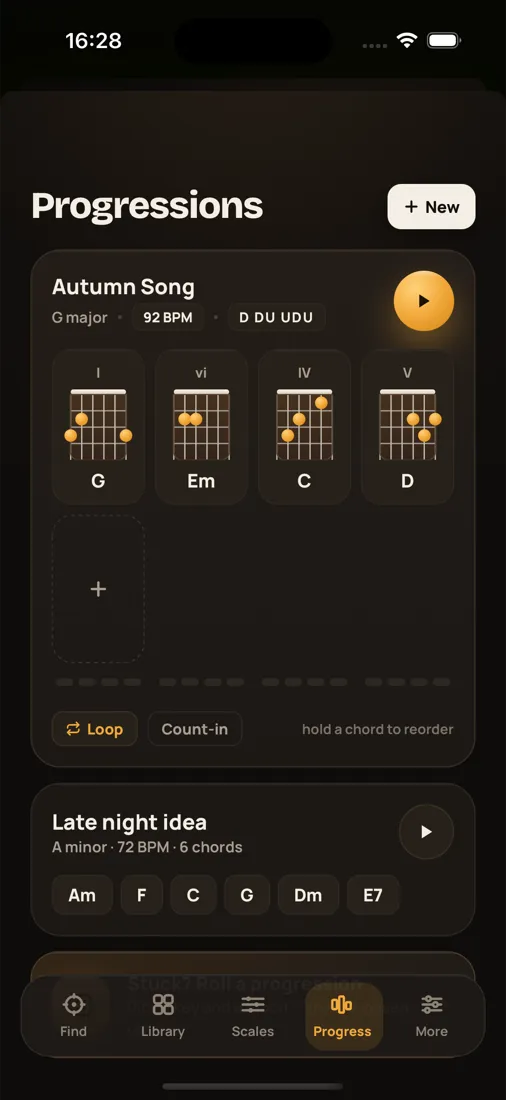
Sketch a progression and hear it back.

Build progressions chord by chord with roman numerals, set the tempo and strum pattern, and loop it while you play along. Stuck? Roll the idea generator for a fresh progression in any key.

  • Loop playback with tempo and strum
  • Roman numerals for every chord
  • Idea generator in Pro
Tapchord Progressions screen with saved songs

Transpose

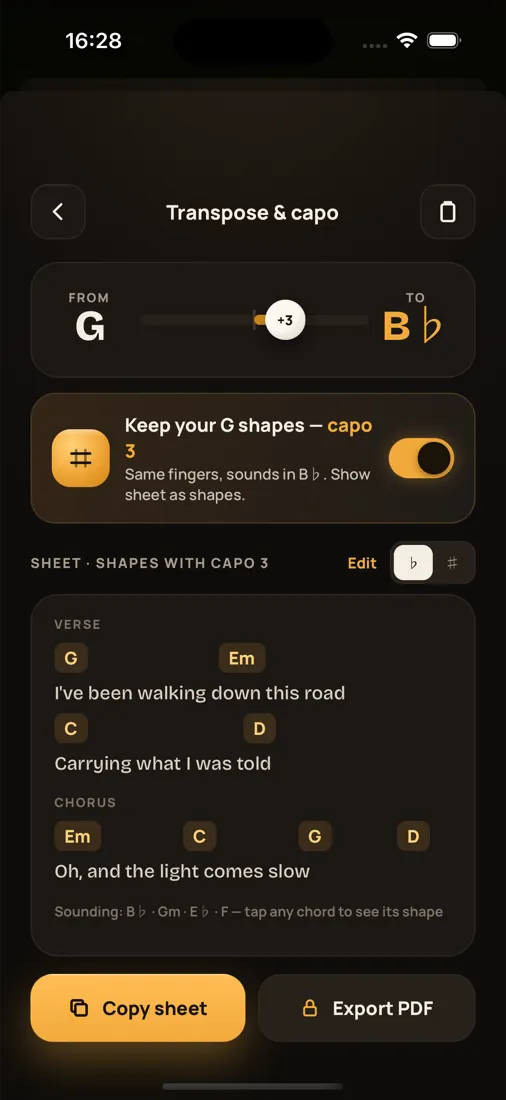
Move a song into your key. Keep your shapes.

Paste a song's chords, pick where it is and where you want it, and Tapchord rewrites the sheet. Or keep the shapes you already know and it tells you which fret to put the capo on.

  • Key changer and capo helper
  • Copy the sheet in one tap
  • PDF export in Pro
Tapchord transpose and capo screen

Private by design

Your music stays on your phone.

Tapchord has no server. There is nothing to log in to and nothing to sync, so there is nothing of yours for us to keep.

No account

Open the app and play. There is nothing to sign up for and no password to forget.

Works offline

The chord engine and the sound run on your phone, so it works on stage, on a plane, anywhere.

No ads, no tracking

No analytics SDKs, no ad networks. Your chords and progressions never leave your device.

Sound made on device

Every note is synthesised as a plucked string in real time. No samples, no downloads.

Free and Pro

Free to play. Pro when you want it all.

Buy Pro once and keep it forever, or start a yearly plan with 7 days free. Prices are shown in the app in your local currency.

Free

Everything you need on guitar.

  • Reverse chord finder on guitar
  • Full chord library with voicings
  • Scale maps and box positions
  • Progression builder with playback
  • Key changer and capo helper
  • Save up to 3 progressions
Pay once or yearly

Pro

Everything in Free, plus:

  • Bass, ukulele and 7-string
  • 40+ alternate tunings
  • Progression idea generator
  • Unlimited saves
  • Clean electric and nylon voices
  • Scale drone
  • Export chord cards, sheets and PDFs

FAQ

Questions, answered.

How does the reverse chord finder work?

Tap the frets you are holding on the on-screen fretboard, mute or open strings above the nut, and Tapchord names the chord straight away, including slash chords and inversions. Ghost dots suggest the notes that complete nearby chords.

Which instruments and tunings are supported?

Guitar in standard tuning is free. Pro adds bass, ukulele and 7-string guitar, plus more than 40 alternate tunings such as drop D, DADGAD, open G and half step down. A left-handed fretboard is available for everyone.

Is Tapchord free?

Yes. The chord finder, chord library, scale maps, progression builder and transposer are free on guitar. Pro unlocks every instrument and tuning, the progression idea generator, unlimited saves, extra sounds, the scale drone and exports. Pro is available as a one-time Lifetime purchase or a yearly or monthly subscription.

Do I need an account or an internet connection?

No. There is no sign-up and everything runs on your phone, including the sound engine, so Tapchord works offline. Your saved chords and progressions stay on your device.

Can I hear the chords?

Every chord and progression can be played back. The sound is synthesised on the device as a plucked string, with acoustic included and clean electric and nylon voices in Pro.

How does the capo transposer work?

Pick the key a song is in and the key you want to sing it in. Tapchord rewrites every chord, or keeps the shapes you know and tells you which fret to put the capo on. Pro exports the sheet as a PDF.

I bought Pro on another device. How do I get it back?

Open Tapchord, tap any Pro feature to open the Pro sheet, and choose Restore purchase. Use the same Apple ID or Google account you bought with. No account with us is needed.

Tap the frets. Know the chord.

Free on iPhone, iPad and Android.

Download on the App StoreGet it on Google Play